DSUI Agent
Ask your stack. Get context.
Investigate connected services, explore schemas, and get help with queries from a conversation inside your workspace.
Explore DSUI AgentConnect your data tools and manage them from one place. Explore your infrastructure, run operations, and work across services with AI that understands your stack.
CONNECT. EXTEND. BUILD.
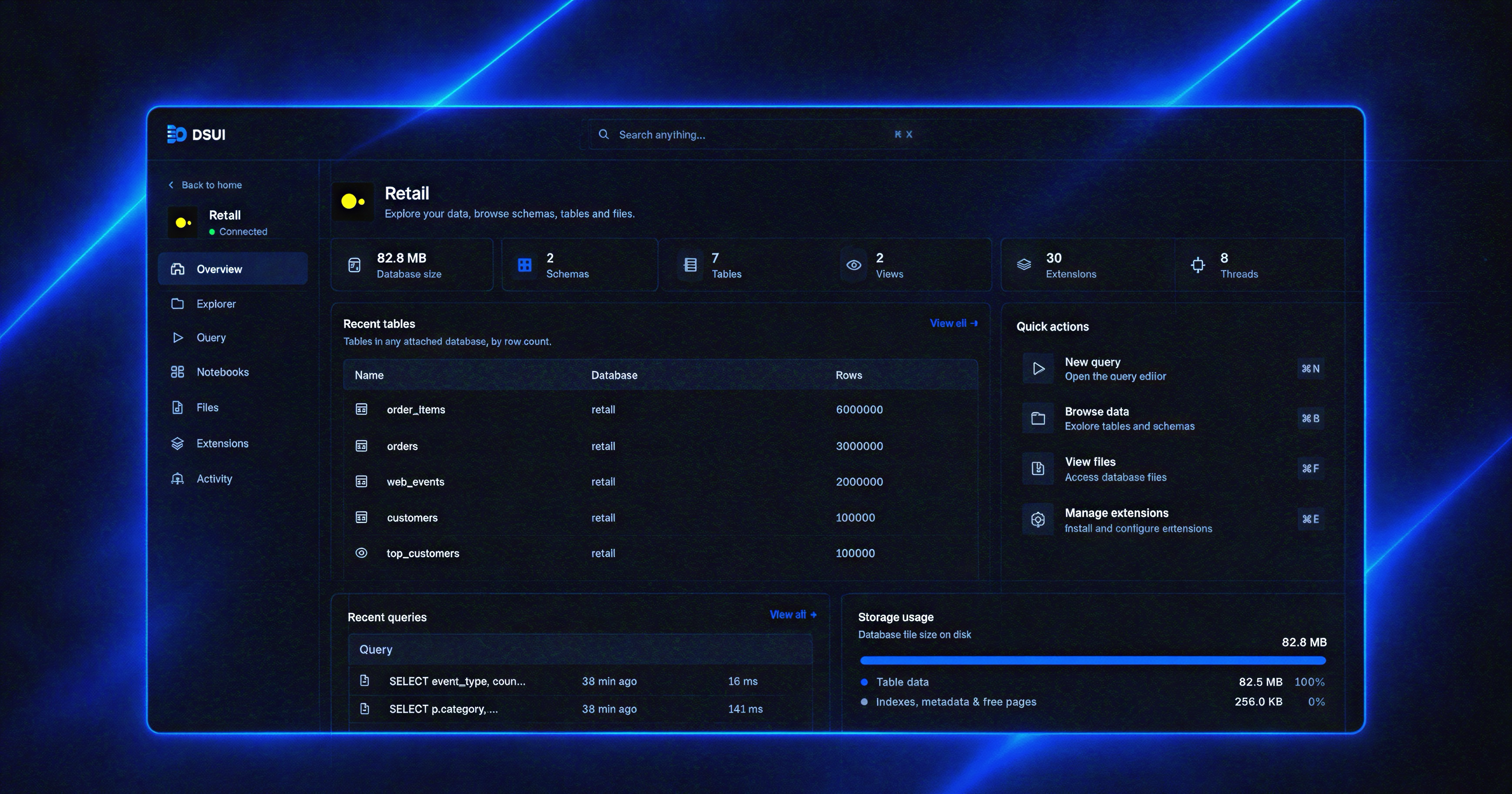
DSUI connects to the tools you already run. Bring them into one workspace, add AI with context across services, and build capabilities of your own.
 Airflow
 dbt
dbt PostgreSQL
 S3
S3 MinIO
MinIO ClickHouse
 DSUIYour control plane


Investigate problems, route notifications, and bring your team into the workspace. Add the capabilities your stack needs.
DSUI Agent
Investigate connected services, explore schemas, and get help with queries from a conversation inside your workspace.
Explore DSUI AgentNotificationsPro
Send service warnings, errors, and successes to Slack or Discord. Choose which signals reach each channel and keep repeat alerts under control.
AI diagnosticsINVESTIGATION / AIRFLOW
daily_revenue · transform_orders
The task references customer_id, which is missing from the source schema.
01Task log Airflow
UndefinedColumn: column "customer_id" does not exist02Source schema PostgreSQL
orders.customer_refAvailableDraft pull request · Ready for review
AI diagnosticsPro
Investigate service signals with AI that can inspect your stack and its code. Get a report with evidence, or a draft pull request for your team to review.
Team accessWORKSPACE SETTINGS
Manage the people and permissions in your workspace.
| Member | Role | Teams |
|---|---|---|
ALAlex Lee[email protected] | Admin ⌄ | Data Engineering ⌄ |
SMSam Morgan[email protected] | Operator ⌄ | Data Engineering ⌄ |
JRJamie Rivera[email protected] | Viewer ⌄ | Data Engineering ⌄ |
3 of 3 members
Team accessPro
Bring your team into DSUI with email and password sign-in. Assign roles and give each team access to the services they work with.
MCP connectionsMCPPro
Connect your MCP-compatible AI client to DSUI. Explore connected services with access limited to your permissions, choose which services to share, and revoke the connection at any time.
Plugin availability varies by plan.
HOW IT WORKS
Try it on your machine or give it a home in your infrastructure. Start with one tool and build from there.
Read the setup guideRUN
Run DSUI with npx, then open localhost:4192. Your workspace runs locally, alongside your tools.
npx @northgraindata/dsuiCONNECT
Choose Add adapter in the dashboard, install an adapter, and add your connection details. Test the connection and save it.
EXPLORE
Open a connected service to browse resources and use its workflows. Add plugins when you need more capabilities.
CONFIGURE
Declare adapters and services in dsui.yaml. Start with a local database, then connect the rest of your stack.
adapters:
  duckdb:
    source: git
    repository: "git+https://github.com/northgraindata/dsui"
    ref: main
    path: packages/adapter-duckdb

services:
  - id: warehouse
    adapter: duckdb
    name: Analytics warehouse
    connection:
      method: file
path: /data/warehouse.duckdbDEPLOY
Run the official Docker image with your configuration mounted and a persistent volume for workspace data.
services:
  dsui:
    image: ghcr.io/northgraindata/dsui:latest
    ports:
      - "4192:4192"
    environment:
      DSUI_CONFIG: /etc/dsui/dsui.yaml
    volumes:
      - ./dsui.yaml:/etc/dsui/dsui.yaml:ro
      - dsui-data:/data

volumes:
dsui-data:OPEN
Start the container and open localhost:4192. Your configured services are ready to explore, with workspace data kept across restarts.
docker compose up -d
ADAPTERS
Work with the data services you already run. Each adapter brings service-specific workflows into the same focused DSUI workspace.
BUILD YOUR OWN
Give your engineers a head start. Use DSUI’s SDKs to connect internal tools and build custom workflows, with a workspace and UI components already in place.
import { definePage, PageHeader, Card }
  from "@northgraindata/dsui-plugin-sdk";

export const overview = definePage({
  path: "/",
  render: () => [
    PageHeader({
      title: "Deployment overview",
      description: "Your releases, at a glance.",
    }),
    Card({
      title: "Production",
      description: "v2.8.0 · Deployed 12 minutes ago",
      badge: "Healthy",
      badgeTone: "healthy",
}), Card({
title: "Staging",
description: "v2.9.0-rc.1 · Ready for review",
badge: "Preview",
badgeTone: "info",
}), ],
});Your releases, at a glance.
v2.8.0 · Deployed 12 minutes ago
v2.9.0-rc.1 · Ready for review
DSUI Cloud
All your tools in one workspace. We handle hosting, upgrades and backups, so your team can get back to the data.
AI usage included Pro plugins included
DSUI CloudData Platform · data-platform.example.com
Analytics warehousePostgreSQLHealthyData pipelinesAirflowHealthyObject storageS3HealthyAll systems operational.
data-platform.example.com · DSUI main
Daily status from what your instance reports.
DSUI and the adapters it loaded.
Current use of the machine.
We host, upgrade and back up DSUI. You connect your services and get a workspace.
Email and password sign-in, roles by team, and service-level access, set up for you.
Notifications, AI diagnostics and early access to new plugins, without wiring them yourself.
AI usage for DSUI Agent and AI diagnostics is included in your Cloud plan.
PRICING
The platform and its SDKs are open source. Paid tiers add plugins built by us, hosting we manage, and deployment into your own cloud.
Swipe to compare all three plans
| FIND YOUR FITSame foundation. Your choice of control.Compare the platform, hosting, and support in each plan. | CommunityFor builders who want full control.$0Open source, Apache-2.0Get started | CloudFor teams ready to hand off the operations.Pricing on requestPro plugins and managed cloudTalk to us | EnterpriseFor organizations with their own requirements.Pricing on requestDeployed in your cloudTalk to us |
|---|---|---|---|
| Platform | |||
Workspace for your whole data stack | Included | Included | Included |
Built-in adaptersAirflow, dbt, PostgreSQL, ClickHouse, S3-compatible, DuckDB, Trino | Included | Included | Included |
Connections encrypted with your master key | Included | Included | Included |
| Plugins | |||
DSUI Agent | Included | Included | Included |
AI usage includedDSUI Agent and AI diagnostics | Not included | Included | Included |
 Service health | Included | Included | Included |
 Monitoring | Included | Included | Included |
 Code repository | Included | Included | Included |
 NotificationsSlack and Discord, rules, delivery history | Not included | Included | Included |
AI diagnosticsEvidence-based reports and draft pull requests | Not included | Included | Included |
 Team accessTeams, roles and service-level access | Not included | Included | Included |
MCPConnect AI clients with scoped access to your services | Not included | Included | Included |
Early access to new Pro plugins | Not included | Included | Included |
| Extensibility | |||
Adapter SDK and Plugin SDK | Included | Included | Included |
Private adapters and pluginsPulled from your own git and built on startup | Included | Included | Included |
Help building custom adapters and plugins | Not included | Not included | Included |
| Deployment | |||
Self-hosted with npx or Docker | Included | Included | Included |
Managed cloud, hosted by us | Not included | Included | Included |
Deployed into your AWS, Azure or GCP account | Not included | Not included | Included |
Data stays in your own cloud | Self-hosted | Self-hosted | Included |
Private networking to your services | Not included | Not included | Included |
| Security and access | |||
Email and password sign-in | Not included | Included | Included |
Role-based access by team | Not included | Included | Included |
Single sign-on (SSO) | Not included | Not included | Included |
Audit log | Not included | Not included | Included |
Security review with your team | Not included | Not included | Included |
| Support | |||
Documentation and GitHub issues | Included | Included | Included |
Email support | Not included | Included | Included |
Dedicated support and onboarding | Not included | Not included | Included |
Custom contract and invoicing | Not included | Not included | Included |
| Ready when you are. | Get started | Talk to us | Talk to us |